Restaurant automation in Kazakhstan
Support 24/7
Technical support 24/7
IIKOOFFICE / KITCHEN AND INVENTORY

Recipe cards and inventory in iiko

Recipes, dish costs and ingredient movement in one system. We configure iiko inventory accounting for your restaurant in Kazakhstan and show where discrepancies arise.

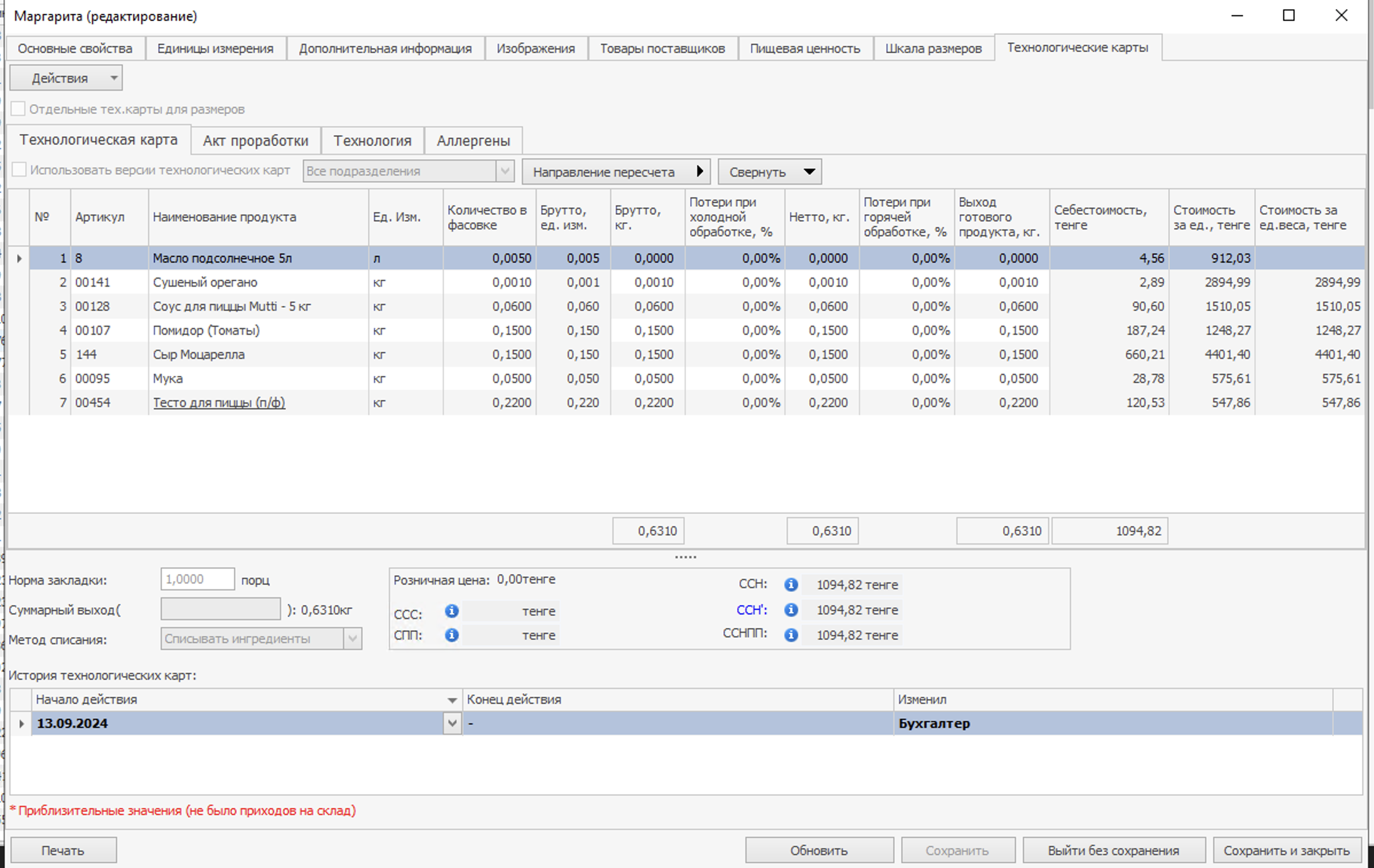
iikoOffice recipe card showing ingredients, yield and cost
iikoOffice · recipe card
FROM RECIPE TO BALANCE

Understand what happens to your ingredients

A recipe defines consumption per serving, warehouse documents record movement, stocktaking checks the physical count, and reports show quantities and value. These iikoOffice screens illustrate the workflows we help configure.

01 / 04RECIPE CARDS

Recipes, deductions and costs stay connected

An iiko recipe card defines ingredients, quantities, gross and net weights, processing losses and finished yield. The system uses these values to calculate cost and, with the chosen accounting method, deduct ingredients after a sale. Separate recipes can be set for different sizes, with version history showing changes.

iikoOffice recipe card showing ingredients, yield and cost
recipe cards
02 / 04STOCKTAKING

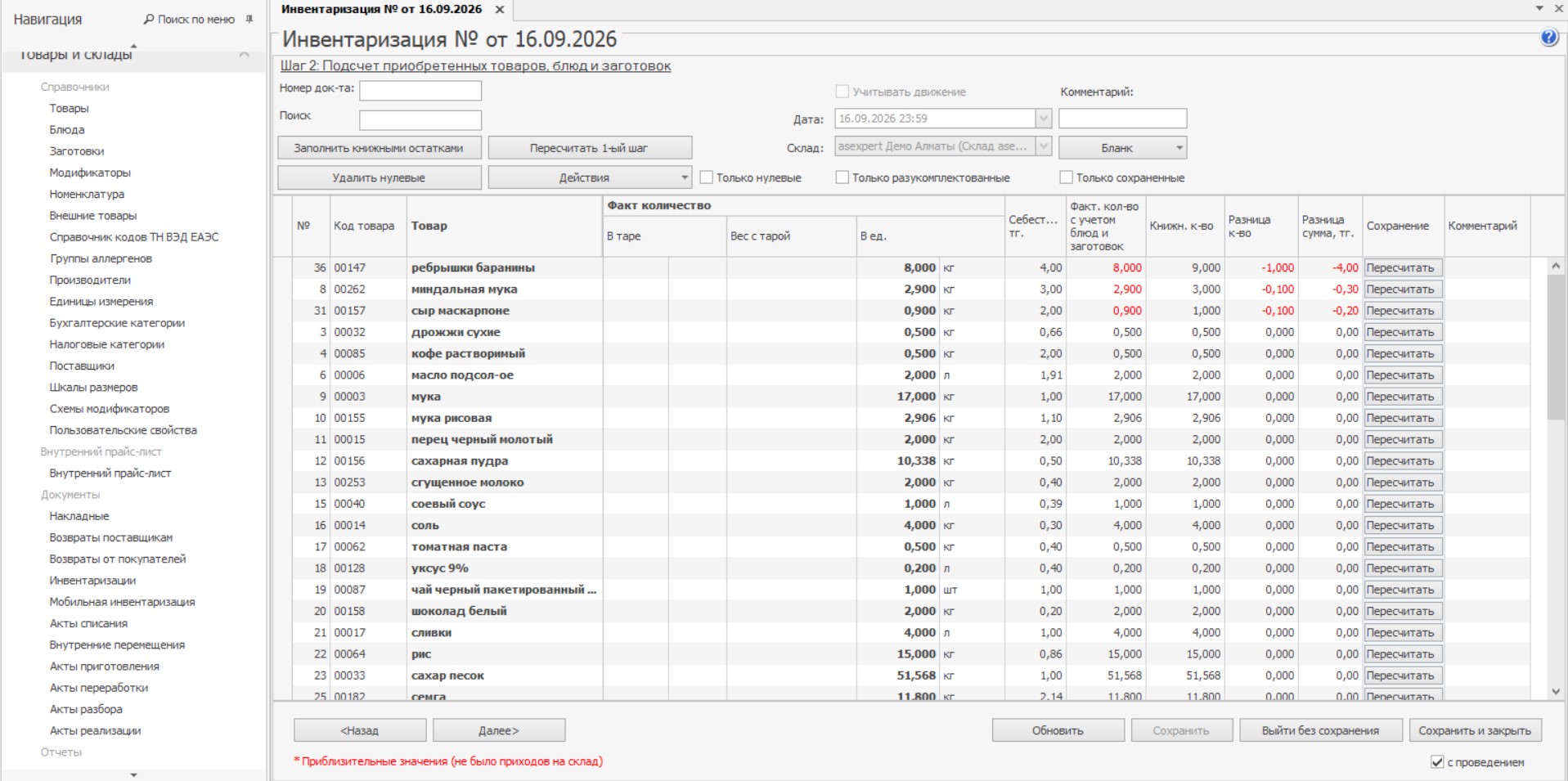
Compare counted stock with book stock

iiko stocktaking compares counted goods and preparations with recorded balances and highlights differences. You can count an entire warehouse or a selected group. During a trading day, stock movement can be taken into account so sales and receipts do not distort the comparison. We help set up counting procedures and staff permissions.

iikoOffice stocktake comparing counted and recorded quantities
stocktaking
03 / 04QUANTITY MOVEMENT

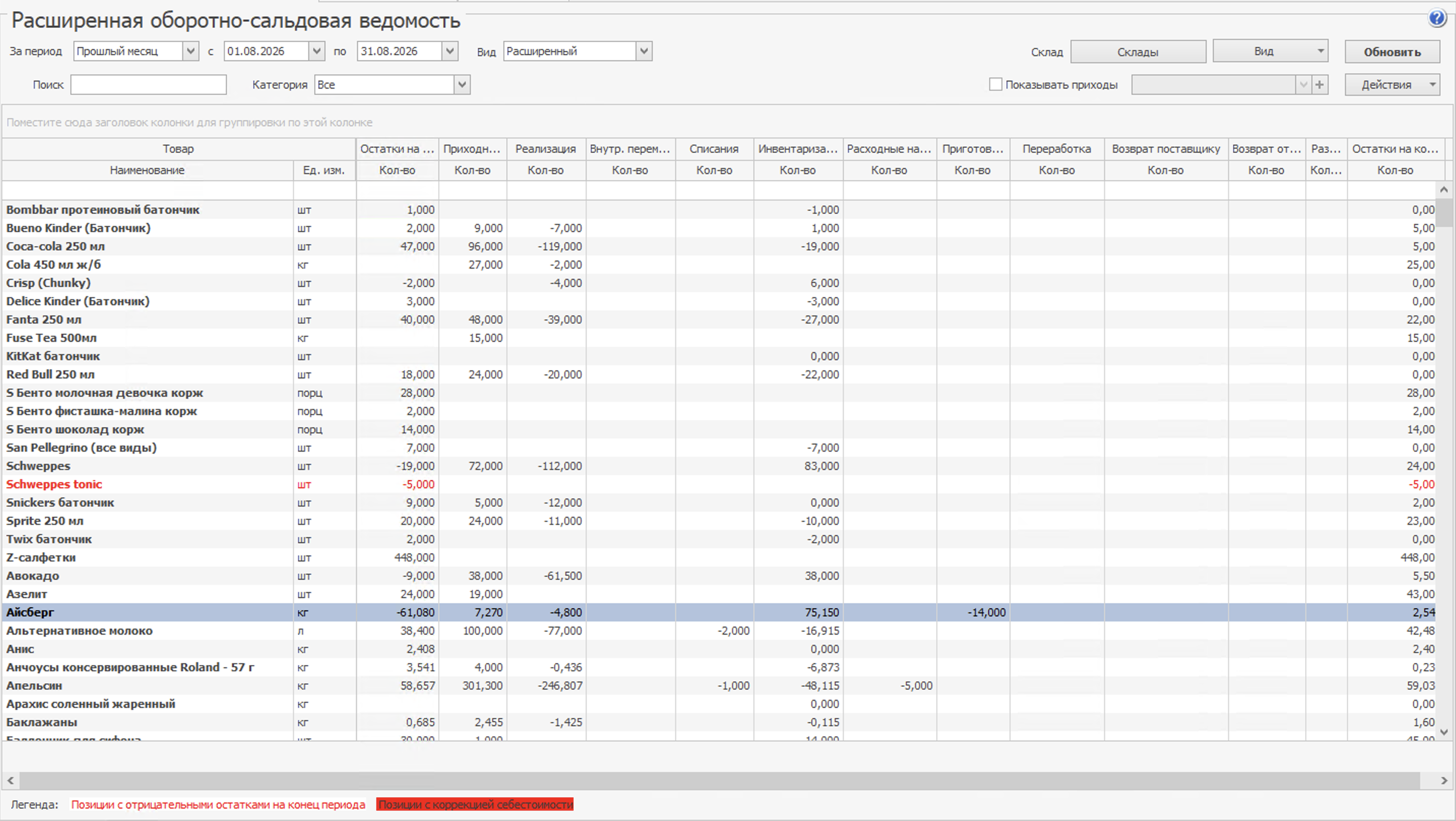
See how each balance was formed

The extended stock movement report shows opening balance, receipts, sales, transfers, write-offs, stocktake adjustments and closing balance. Filters by warehouse, item group and period help identify negative stock and investigate individual discrepancies.

iiko extended stock movement report by quantity
quantity movement
04 / 04COST AND VALUE

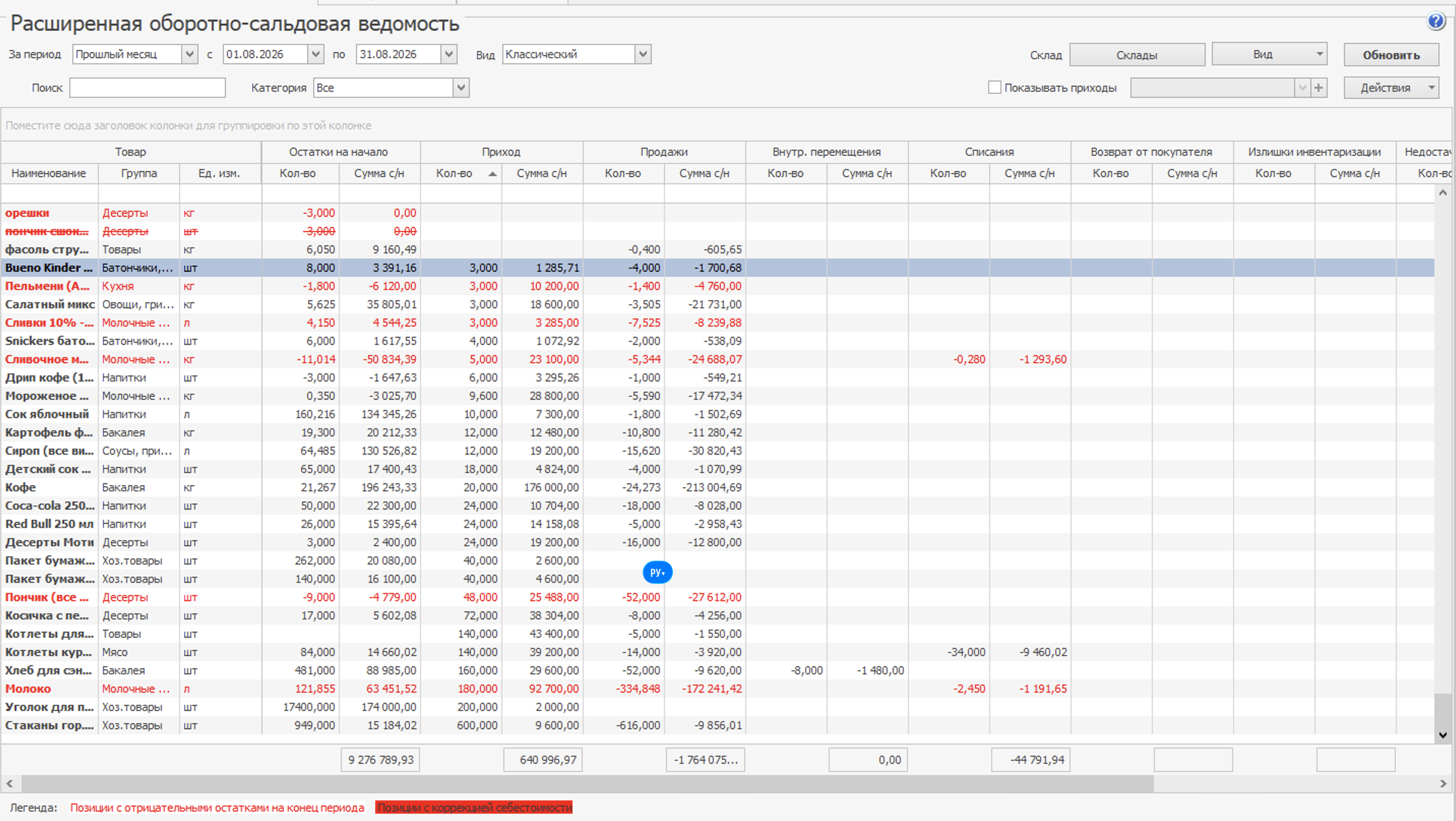
Track value as well as quantity

The value view of the same report lets you compare quantities and costs for balances, receipts, sales and write-offs. Managers can see which items hold inventory value and which operations changed it. Accuracy depends on properly recorded purchases and accounting settings.

iiko extended stock movement report showing inventory costs
cost and value
GOODS AND WAREHOUSES

From purchasing to menu analysis

iikoOffice covers the broader inventory workflow. Other tools in the section include:

Reference data and purchasing

Warehouses and units form the basis of inventory records. Accounting and tax categories, local taxes, manufacturers, concepts and payment attributes classify transactions. Suppliers, incoming and outgoing invoices, supplier and customer returns, supplier price lists, an internal price list and a price report support purchasing and comparison.

Warehouse operations

Stocktakes can cover all items or a group at the end of or during the day, with barcode scanner entry. Transfers can use one internal transfer document or a two-document flow. Separate records cover write-offs, preparation, processing, sales and disassembly; iikoKitchen brings some document work to the POS. Barcode printing in iikoFront and exporting data to scales are also available.

Balances and stock movement

Warehouse balances show available items; negative-stock correction and reconciliation reports help investigate below-zero items. The extended stock statement and item movement report explain receipts and consumption. Cost-change, purchasing and purchase-discrepancy reports help review values and documents. The goods report and certificates add further item-level control.

Sales and dish composition

ABC/XYZ analysis reveals item demand. Period sales, unsold-dish and dish reports help review the menu. The ingredient-in-dish report links products to recipes, while a custom report brings selected measures together.

Menu and cost analysis

Dish ABC/XYZ analysis, menu recommendations, price trends and what-if scenarios help compare popularity, cost and possible price changes before making a decision.
CONFIGURED FOR YOUR KITCHEN

Make sense of your inventory

Tell us about your menu, warehouses and current accounting process. We will show how recipes, documents and reports fit together, then plan implementation and quote iiko for your venue.

Workflow reviewiikoOffice demoSetup and training plan
Discuss inventory setup
START WITH YOUR CHALLENGE

Your restaurant. Our next project together.

Tell us about your business. We will match iiko, equipment and integrations to your workflow.

+7 747 22 000 33

Let’s discuss your business

CallWhatsAppEnquiry