Queue and courses
The kitchen sees the order queue and prepares dishes in the right course order.
KDS shows cooks what to prepare, guest requests and dish readiness. The floor team stays informed while the kitchen works in sync.
See how it works ↓Orders, dishes, elapsed time and status stay in one view, with guest comments beside each task.
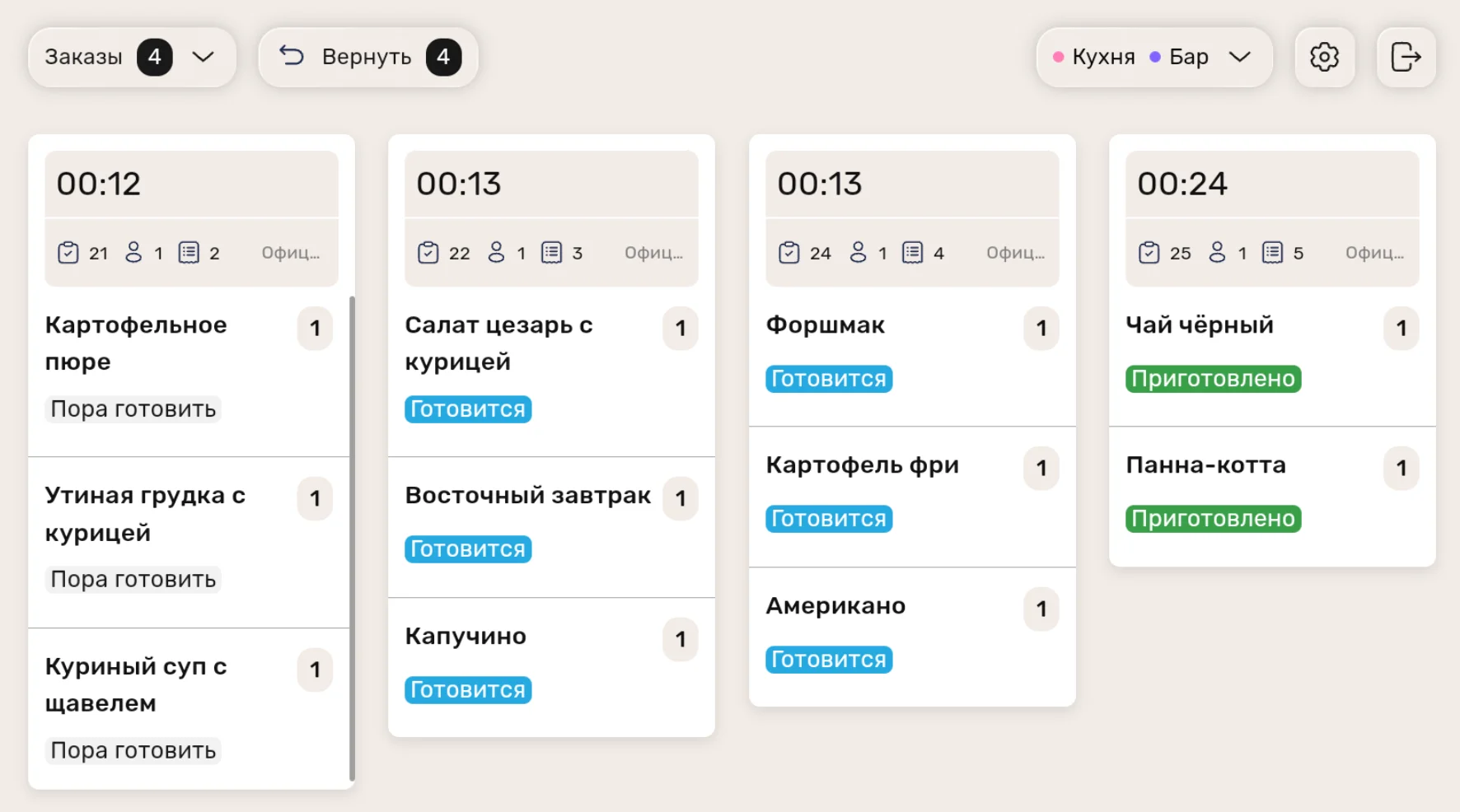
The kitchen sees the order queue and prepares dishes in the right course order.
Modifiers and comments appear directly in the cook’s order view.
Update dish status and track preparation time on screen.
Sound alerts tell cooks about new tasks, while waiters receive smartphone notifications.
Filters let the kitchen switch between orders, courses and stations. A separate mode helps with banquets and large orders.
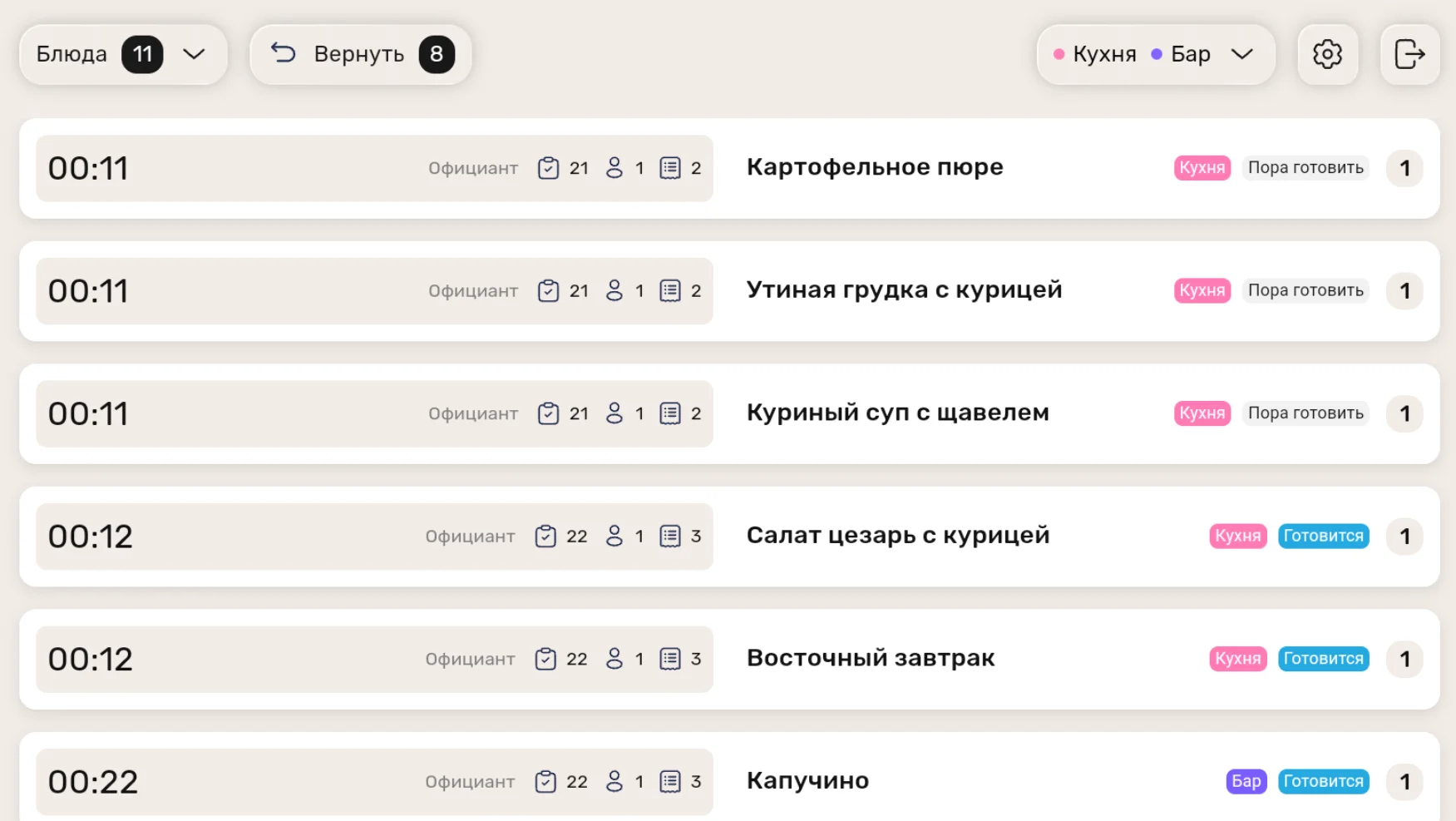
Switch between orders, courses and stations so each team sees relevant work.
A dedicated mode helps manage banquets and other large orders.
Use an Android tablet or smartphone and place it on a standard holder where your team needs it.
A battery-powered tablet can connect over Wi‑Fi or mobile data, without wiring to the display.
Features and images based on iiko materials. Source ↗
Tell us about your stations, locations, devices and network. We will suggest screen placement and test the order journey. Pricing starts at KZT 9,800/mo.
+7 747 22 000 33