QR payments, tips, feedback, reservations and takeaway orders in Halyk, connected to iiko. Convenient payments for guests and simpler order handling for staff.
The service retrieves order details from the till and returns the payment result. Connection does not require new equipment or stopping dining-room service.
iiko→Halyk app→Payment and bill closure
SERVICE FEATURES
Seven ways to serve your guests
01
Pay using the table QR
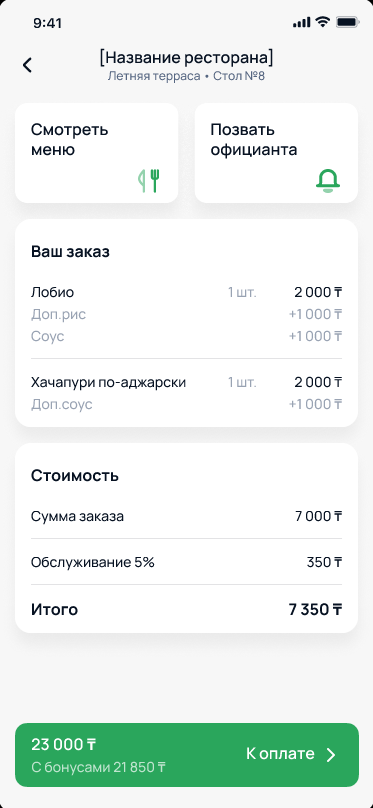
Guests scan the table stand to view their order and total from iiko in the Halyk app. They can pay, leave a tip and rate the service without waiting for a terminal.
Successful payment automatically closes the order in iiko. Staff do not need to re-enter the amount.
Screen from the Halyk presentation
02
QR on the pre-bill
Prefer a printed pre-bill? Place the QR code directly on it. The waiter brings the bill, and the guest scans the code, checks the order and pays in the Halyk app.
The till system generates the code. This option needs no table stands or new equipment. Guests can leave tips and feedback after paying.
03
Tips and guest feedback
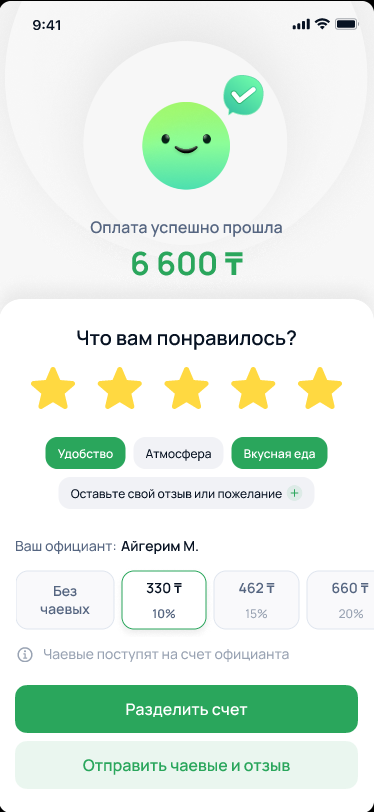
Guests select a 10%, 15%, 20% or 25% tip, or enter a custom amount. Tips go directly to the waiter’s Halyk card, through the same app used to pay the bill.
Ratings are linked to the order, table and waiter, so feedback can be traced to an actual visit.
Screen from the Halyk presentation
04
Takeaway orders in the app
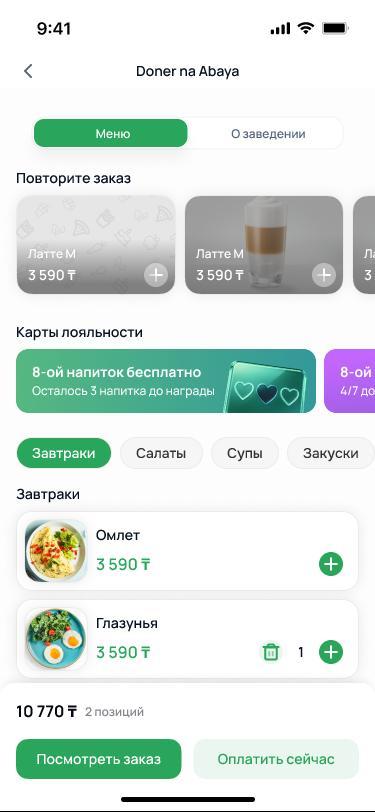
Guests open your menu in Halyk, choose dishes and a pickup time, add a comment and pay. The order arrives at the till, avoiding manual transcription from messages.
A push notification tells the guest when the order is ready to collect. Your business gains another takeaway ordering channel.
Screen from the Halyk presentation
05
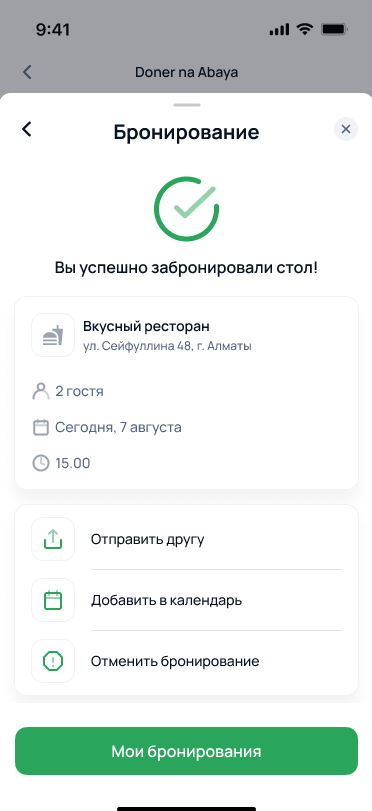
Table reservations without a call
Guests choose the venue, date, time and party size in Halyk, then receive a booking confirmation. They can arrange their visit without finding a phone number and calling the restaurant.
Guests can discover the restaurant profile and its offers inside the app.
Screen from the Halyk presentation
06
Split a bill with friends
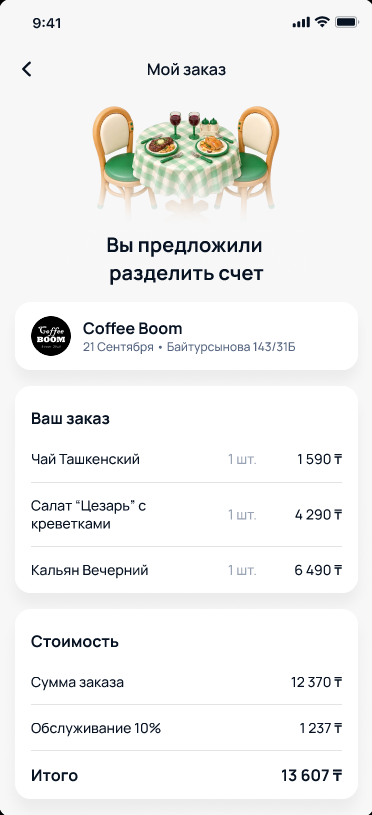
Each guest selects their items and pays their share in Halyk, with an optional tip. The waiter does not need to manually turn a shared order into separate bills.
The till retains one shared bill while guests pay individually.
Screen from the Halyk presentation
07
Order from your table using QR
After scanning the QR, guests browse dish photos and descriptions, build an order and send it to iiko. Payment and tipping are also available in the app.
Available on request after the basic QR payment service is connected. We will discuss this option during setup.
GETTING CONNECTED
From enquiry to the first QR payment
01
Connection request
The restaurant or dealer applies through the Halyk Restaurants portal with the business identification number, address and terminal. OpenService helps you get started.
02
Remote iiko setup
The application code is entered at the iiko till. Tables and payment types load automatically. A till plugin connects the two systems.
03
Launch with the Halyk team
The Halyk team delivers QR stands, links them to tables, sets up Telegram notifications and trains staff. Halyk handles configuration and launch.
START WITH YOUR CHALLENGE
Connect Halyk
to your restaurant
Leave an enquiry to discuss QR payments, reservations and takeaway orders. We will clarify connection terms and help you get started. Free.