
OPENSERVICE CONVERTER
Import bank statements into iiko
Prepare your bank statement for import into iiko. The OpenService converter transforms a TXT file for 1C into the required format, ready to load through the iiko menu.
How it works ↓FROM BANK FILE TO IIKO
Three steps to import your statement
Export your bank statement
Save the statement for the period you need in the TXT format for 1C.
Convert the file
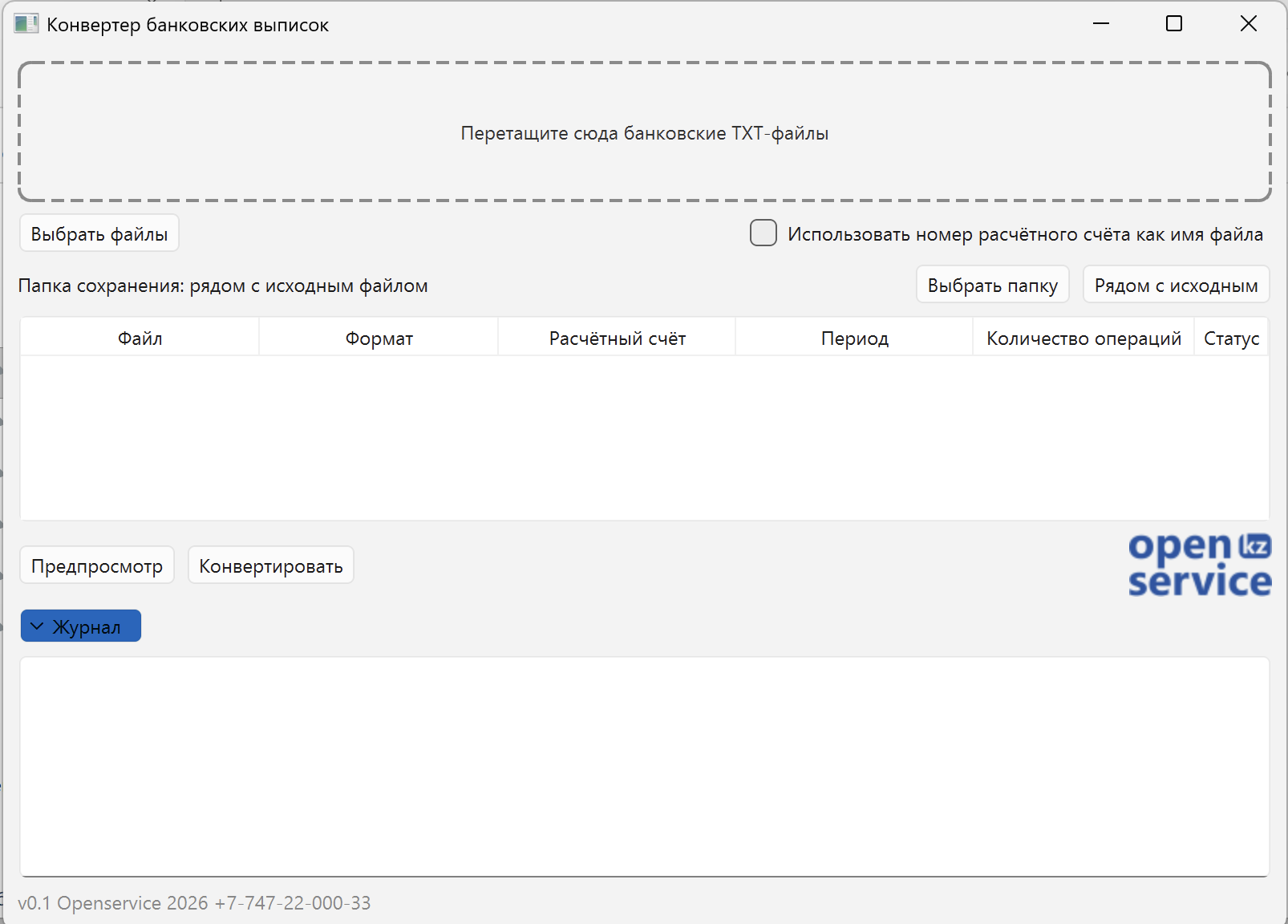
Open the OpenService converter, add the TXT file and convert it to iiko format.
Import the result into iiko
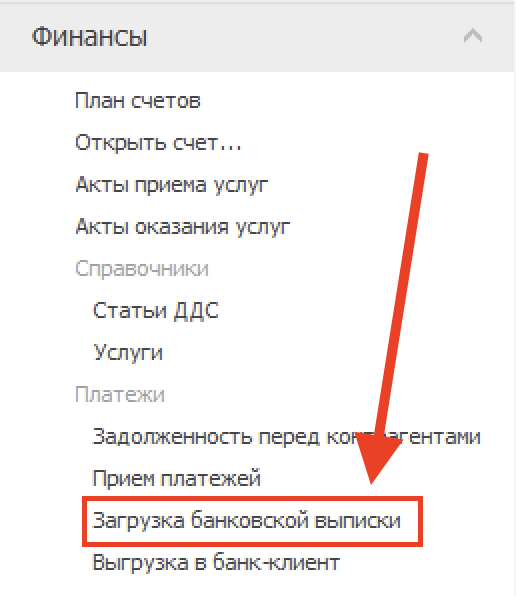
Under Finance, choose Bank statement import and load the converted file.
Add a file. Choose a folder. Convert.
Drag the statement into the window or choose Select files. Save the result beside the original file or in a selected folder. The program includes a preview and processing log.
AFTER CONVERSION
Import through the familiar iiko menu
Open Finance → Bank statement import. Use this menu option to load the file prepared by the converter.
First export the statement from your bank, then process it in the converter. This workflow does not require a direct connection to online banking.
Statements from six banks in Kazakhstan
Use a statement exported in TXT format for 1C from any bank listed below.